
For a small business owner, time is often more precious than money. You might be handling customer enquiries in the morning, preparing quotations in the afternoon, updating social media in the evening, and figuring out invoices long after you should have called it a day.
Hiring someone for every task isn’t always financially viable. But doing everything yourself isn’t sustainable either.
This is where artificial intelligence can make a real difference.
The best AI tools for small businesses in 2026 can help you write marketing content, create professional designs, respond to customers, organize information, manage sales enquiries, and automate repetitive tasks without immediately increasing your headcount.
However, there’s a catch. You don’t need every AI tool that appears in your social media feed. You need the right tools for the problems your business actually faces.
For Indian small businesses, freelancers, consultants, local retailers, and solopreneurs, the most useful starting points are often surprisingly simple: an AI assistant, a design tool, a productivity platform, and perhaps one specialized tool for customer management or accounting.
This guide explores practical options, what each tool is good for, and how to choose without wasting money on subscriptions you barely use.
1. ChatGPT: Your Everyday AI Business Assistant

Best for: Writing, brainstorming, customer communication and everyday problem-solving.
Free plan available
Website: ChatGPT
If you choose just one AI tool to experiment with initially, I’d start with ChatGPT. It is versatile enough to support several parts of a small business without requiring you to learn multiple applications.
Imagine running a home bakery, a freelance design business, a tuition centre, or a small consultancy. You probably spend time answering customer questions, writing promotional messages, explaining your services, and planning your next marketing campaign.
ChatGPT can help with all these tasks. You can ask it to draft a WhatsApp message announcing a new service, suggest ten blog topics for your business website, prepare a first draft of a quotation email, or turn a long explanation of your services into a concise introduction for prospective customers.
You can also use it to develop frequently asked questions, create customer onboarding documents, write job descriptions, brainstorm promotional offers, and simplify complicated business information.
The key is to provide context. Instead of asking, “Write an Instagram caption,” explain what your business does, who your customers are, what you are promoting, and what action you want readers to take.
For example, a boutique owner could ask ChatGPT to develop a month’s worth of social media ideas around a festive collection, including captions, customer questions, and promotional messages.
One caution: review its output before publishing. AI can invent details, produce generic writing, or misunderstand your business. Treat it as an assistant that accelerates your work, not an employee who can make every decision independently.
2. Canva AI: Create Marketing Materials Without a Designer
Best for: Social media graphics, flyers, advertisements and presentations.
Free plan available
Website: Canva
A business can have an excellent product and still struggle to attract attention if its marketing materials look unprofessional or inconsistent.
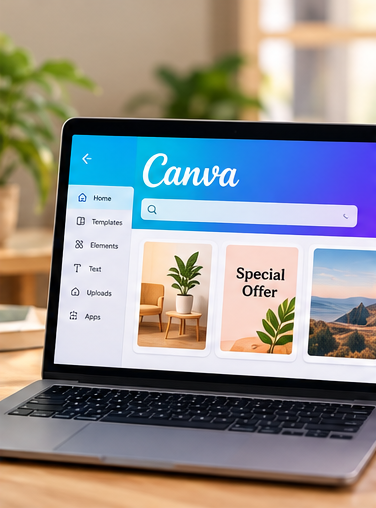
Hiring a designer for every festival offer, product announcement, event poster, or social media graphic may not be practical for a small business. Canva makes it possible to create these materials yourself, while its AI features can help speed up the process.
You can begin with a template, adjust it to match your brand, and use available AI features for tasks such as generating text, resizing designs, translating content, or editing images.
Consider a small restaurant in Trichy promoting a weekend special. Rather than commissioning a new design, the owner could use a reusable template, replace the photograph and menu details, and create versions suitable for Instagram, WhatsApp, and Facebook.
The real benefit is not simply producing more graphics. It is creating a recognizable brand without spending hours on design.
Canva’s official India pricing page lists its Free plan at ₹0, Pro Lite at ₹1,590 per year, and Pro at ₹4,000 per year for an individual, although plans and features can change. AI usage limits also differ by plan.
My recommendation is to begin with the free version. Upgrade only when you repeatedly encounter a limitation that affects your work.
3. Google Workspace with Gemini: Make Email and Office Work Easier
Best for: Business email, documents, spreadsheets and meetings.
Website: Google Workspace
Small business owners often underestimate how much time disappears into administrative work. There are emails to answer, proposals to prepare, spreadsheets to update, and meetings whose outcomes need to be documented.
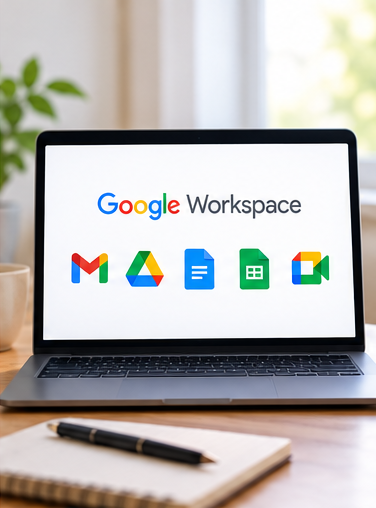
Google Workspace integrates AI assistance into familiar applications such as Gmail, Docs, Sheets, and Meet, depending on the plan.
For instance, a consultant could use AI assistance to draft a professional reply to a prospective client, organize information into a proposal, summarize a lengthy document, or help interpret spreadsheet data.
A business that regularly conducts online meetings may also benefit from AI-generated notes and summaries where the relevant features are available.
The advantage is that you can work within applications you already use instead of moving information between several disconnected tools.
Google’s India plans include AI features at different subscription levels. Check the current Google Workspace plans before subscribing, because the features included in each plan vary.
This is particularly useful if your business already depends heavily on Gmail and Google Drive. If you use these applications only occasionally, a separate subscription may not be necessary.
4. Claude: A Useful Assistant for Long Documents and Detailed Analysis

Best for: Long documents, proposals, detailed writing and document analysis.
Free plan available
Website: Claude
ChatGPT and Claude overlap in many areas, so most small business owners do not need to pay for both immediately.
However, Claude is worth considering if your work involves substantial amounts of writing or lengthy documents.
A marketing consultant might use it to review a client brief, organize research, develop a detailed proposal, or identify inconsistencies in a draft report. A business owner could use it to summarize a lengthy supplier document and prepare questions to discuss with the supplier.
It can also help turn rough notes into structured reports and refine long-form content while maintaining a consistent tone.
As with other AI assistants, you must verify important claims and figures. It should not replace a lawyer’s interpretation of a contract, an accountant’s tax advice, or your own assessment of a business decision.
Try the free version first. If you discover that it handles your regular workload particularly well, compare the paid plan’s limits and capabilities with those of the AI assistant you already use.
5. Zoho Books: Simplify Invoicing and Financial Administration
Best for: Invoices, expense tracking, accounting and GST-related workflows.
Website: Zoho Books
If you run a service business, you probably know how easy it is to postpone invoicing, forget to follow up on payments, or lose track of expenses.
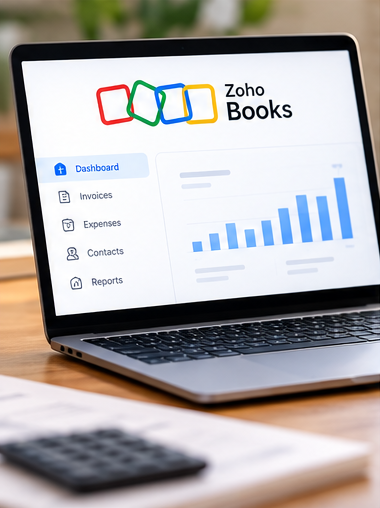
Accounting software can help bring these activities into one organized system. Zoho Books is particularly relevant to Indian businesses because it supports GST-related accounting workflows, invoicing, expense management, and financial reporting.
Its AI assistant, Zia, also offers conversational assistance with accounting information, while some AI capabilities depend on the available product and plan.
Imagine running a small web development business. You have several clients, each with different payment terms, recurring maintenance fees, and outstanding invoices. Instead of relying on scattered spreadsheets, you can maintain a centralized record of transactions and use reports to understand what has been billed and paid.
Remember that accounting software does not automatically guarantee correct tax treatment. Verify entries, reconcile bank transactions, and consult your accountant about GST obligations and filing requirements.
Zoho Books offers a free plan subject to eligibility and usage limits, with paid plans available for additional functionality. Check the current Zoho Books pricing before making a decision.
6. AiSensy: Manage Customer Conversations on WhatsApp
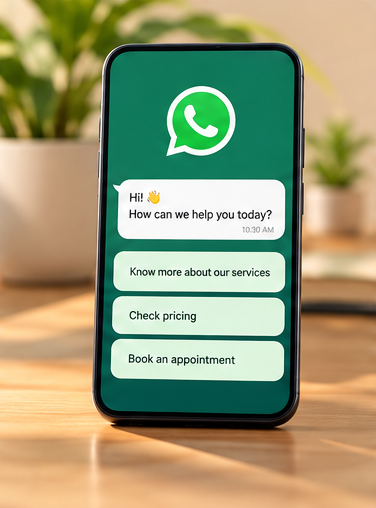
Best for: WhatsApp-based customer communication and messaging automation.
Website: AiSensy
For many Indian small businesses, WhatsApp is not just a messaging application. It is where enquiries arrive, customers request prices, appointments are confirmed, and orders are coordinated.
The challenge begins when the number of conversations increases. Customers may have to wait for replies, enquiries can get buried in chat histories, and the owner may find it difficult to follow up consistently.
AiSensy provides tools built around the WhatsApp Business Platform, including customer messaging workflows and automation options.
For example, a coaching centre could use an appropriate WhatsApp workflow to acknowledge enquiries, share course information, and guide prospective students towards registration. A service business could automate appointment reminders or organize conversations between team members.
However, automation is not always necessary. If you receive only ten enquiries a day, the standard WhatsApp Business application and a collection of well-written reply templates may be sufficient.
Dedicated platforms involve additional costs, and WhatsApp messaging fees, consent requirements, and platform rules must be considered before launching campaigns.
Explore AiSensy’s website and compare its current plans with the volume of customer conversations you actually handle. Do not purchase an automation platform simply because it offers impressive features.
7. Photoroom: Improve Product Photography for Online Sales

Best for: Product photographs, catalogue images and ecommerce listings.
Website: Photoroom
If you sell clothing, jewellery, cosmetics, handicrafts, home décor, or packaged products, photographs play a significant role in how customers perceive your business.
Professional product photography can be expensive, especially when you regularly introduce new products. Photoroom uses AI-assisted image editing to remove backgrounds, create product scenes, and prepare images for online catalogues.
A small business owner could photograph a product using a smartphone, remove a distracting background, and create a clean image suitable for a website or marketplace listing.
For example, a handmade jewellery seller could create a consistent set of product images without arranging a separate photoshoot for every item.
There is one important limitation. AI-generated backgrounds and edits must not misrepresent the actual product. Customers should see accurate colours, proportions, materials, and product details.
Photoroom is worth testing if product images are a recurring bottleneck. If your business sells services rather than physical goods, you probably do not need it.
8. Fireflies.ai: Turn Meetings into Useful Records

Best for: Meeting transcription, summaries and action items.
Free plan available
Website: Fireflies.ai
Have you ever finished a client meeting only to realize that you cannot remember every detail, deadline, or commitment?
Meeting assistants such as Fireflies.ai can transcribe supported conversations and produce summaries, helping you capture decisions and follow-up tasks.
This can be useful for consultants, agencies, recruiters, and small teams that conduct frequent online meetings.
Suppose you run a website maintenance business. During a client call, the customer requests three website changes, asks for a revised quotation, and agrees to provide product photographs by Friday. A meeting summary can help you record these action items instead of relying entirely on memory.
Before using an AI meeting assistant, inform participants and obtain the consent required for recording and transcription. Avoid recording sensitive conversations without appropriate authorization.
Fireflies offers free and paid plans, with limits that vary by subscription. Review its current pricing and features to determine whether it suits your meeting volume.
Which AI Tools Should You Choose First?
The best combination depends on what is consuming your time. Here is a practical starting point for different businesses.
Freelancers and consultants
Start with ChatGPT or Claude for writing and research, plus Google Workspace if you need business email and document collaboration.
Shops and small consumer brands
Start with ChatGPT and Canva. Add Photoroom if creating product photographs is a regular requirement.
Businesses that receive many WhatsApp enquiries
Start with WhatsApp Business and prepared response templates. Consider AiSensy when you need more advanced workflows or team-based communication.
Businesses with recurring invoices and expenses
Explore Zoho Books or another accounting platform suited to your tax and bookkeeping requirements.
Small teams with frequent meetings
Test Fireflies.ai or the meeting assistance already included in your existing productivity software.
How to Start Using AI Without Overspending
You do not need to subscribe to all eight tools. In fact, I would recommend the opposite.
Choose one repetitive task that consumes time every week. It could be writing social media captions, answering routine enquiries, preparing quotations, or organizing invoices.
Next, choose one tool that addresses that task and test it for 30 days. Before you begin, record approximately how much time the task takes you manually. At the end of the month, compare the time saved, the quality of the output, and any additional costs.
For example, if a tool saves you three hours each month but costs ₹1,500, consider whether those three hours can be used for activities that generate more value for your business. Time saved is useful, but time saved without a meaningful outcome does not automatically improve profitability.
Keep your initial setup simple. Avoid purchasing overlapping subscriptions, and check whether the applications you already use include the AI features you need.
Also establish basic safeguards. Never share passwords, payment credentials, confidential customer information, or sensitive business documents with an AI tool unless you have assessed its privacy and security arrangements. Verify financial figures, legal information, tax guidance, and claims before acting on them.
The Bigger Opportunity: Use AI to Improve Your Business, Not Just Produce More Content
AI makes it easier to generate captions, graphics, emails, and reports. But producing more material is not necessarily the same as growing a business.
A small business needs customers, a reliable product or service, effective communication, sound financial management, and a reason for people to choose it over competitors.
AI can support these activities, but it cannot replace the need to understand your customers or deliver what you promise.
A local service provider, for example, may gain more from responding to enquiries promptly and maintaining a professional website than from publishing three additional social media posts every day. An online seller may benefit more from accurate product listings and organized order management than from experimenting with multiple image generators.
This is where small business owners should be strategic. Identify the bottleneck that is preventing your business from operating better, and use technology to address it.
The tools will continue to evolve. Your ability to identify useful problems and make sound decisions will remain valuable.
Final Thoughts
The best AI tools for small businesses in 2026 are not necessarily the most advanced or expensive ones. They are the ones that solve recurring problems, fit your budget, and make your work easier without creating additional complexity.
For most small businesses, ChatGPT and Canva are sensible starting points. Google Workspace with Gemini can help with everyday office work, while Zoho Books, AiSensy, Photoroom, Claude, and Fireflies serve more specific needs.
Start small, measure the results, and expand only when there is a clear reason to do so. You do not need to become an AI expert to benefit from AI. You need to understand your business well enough to know where the technology can genuinely help.





Leave a Reply